Kanban Board Structure Editing: In-Place (the “+” buttons) or Edit Mode?
Hi, I’m Paulius, a product designer at Teamhood! 👋
We’re looking to improve how you edit and organize your Kanban board structure, and I’d love to hear your thoughts.
Do you find the in-place Kanban board editing (the “+” buttons) useful? If so, how do you use them?
When you need to edit your board structure, do you prefer the in-place method or the Edit Board mode? Why?
Would you rather have in-place editing or a more structured setup process for statuses with an improved Edit Board mode?
If you have any additional insights on the subject, please don’t hesitate to share. Thank you!
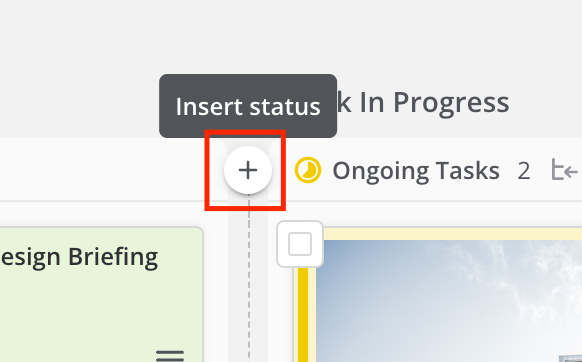
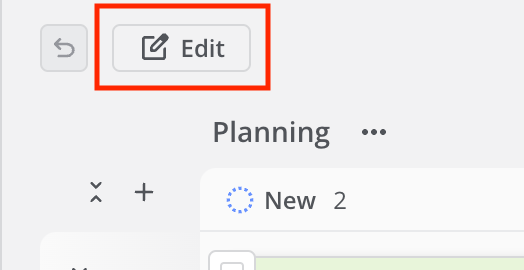
Edit: to clarify, I've attached two screenshots of what I'm referring to (In-Place editing (the “+” buttons) and Edit Mode).
Log in to comment and vote
Comments11
Simon Cawthan
Feb 27, 2025
Hi Paulius,
My preference is for a separate board editing mode. My experience has been that users view the in place editing as being something that is local to them, or they don't realise that they are actually editing the underlying structure of the board for everyone. Going into a separate editing mode makes them pay much more attention to what they are doing and it makes it clearer that the changes they are making will impact the whole team, metrics and reporting.
I know that permissions control who can do this, but our working practice is that any team can create a board when they need it, and the board owner has admin rights on that board. (Its their data, and we embrace agile being empirical so they are encouraged to make the board do what they need for their project). The upshot is there is a lot of clicking on buttons just to see what happens in the early stages, and in place editing during this phase can cause a bit of chaos.
It feels a bit like it needs a couple of modes: board admin role that sets some guardrails (no in-place edits, separate edit mode, confirming changes etc) and an advanced admin role that has no guardrails for expert users who want to move fast.
Paulius Paždagis
Feb 28, 2025
Simon Cawthan Excellent points. Will definitely note this!
Jesse
Feb 28, 2025
Simon Cawthan - I agree with this. While it is "convenient" to edit the boards directly, it is a bit dangerous depending on permissions. Our team has begun to find that there should be more granularity to the roles as well. Still trying to decide where those guardrails should be (i.e. What should be standard across our entire team and what things users should really be able to edit themselves)
Ramūnas Teišerskis
Mar 19, 2025
If you just take out (+) from main kanban screen it's Good because some new users push accidently that button. But visualisation of result must stay - that is good designed. If you will touch that place please check the situation that visual design not properly copied when I am copying (duplicate) workspace. I always should correct manually (to hide some statuses) in new workspace copy. It happens on workspaces which was not only added new columns but also removed columns. In our case we decided which business part should have internal statuses (columns) which not and each big business project copying (duplicating) one of existing workspaces. For us could be improvement to duplicate workspace without tasks (option). Now I always have to remove all duplicated tasks manually :(
Customer Care
Mar 14, 2025
Marek Germanovič: Actually, I don't remember how our board was edited, whether with the + button. But I clearly remember that Edit board allowed deeper changes, because you could also use drag and drop.
Paulius Paždagis
Feb 28, 2025
Jason Kreterfield Zach Henze Gabrielė L. Ošikaitė Hi, and thanks so much for your quick replies!
To make things clearer, I’ve attached two screenshots showing what I mean by In-Place editing (the “+” buttons) and Edit Mode.
Zach Henze
Feb 27, 2025
Yes, I add cards manually as I build out my boards. Much of my work is ad-hoc rather than fully planned ahead of time, so it helps me stay agile.
I'm not clear on what the difference is here. I use the "Edit" button on the board to make changes to structure. This could use a save changes feature, rather than immediately updating it, though.
I think I would need to see mockups of what an "improved Edit Board mode" looks like before making this assessment. I think it works fine for my use case, outside of that one change.
Gabrielė L. Ošikaitė
Feb 27, 2025
Yes, I click on them to create new tasks right on the board.
No idea what/where is the in-place method and what/where is the Edit Board mode. As a user i don't feel like we can edit board structure much.
Again, no idea what the in-place editing is, bus as the Kanban gets more filled with more projects (talking only when Kanban is filtered with only my personal projects and tasks) it gets too much cramped and you always have to collapse and expand them and you cant see your whole scope of your future tasks. Also there is lots of scrolling to scroll to your next project if you have lots of tasks in one project (image attached).
There is some seemingly unused space (image attached).
I don't feel like input and work in progress should exist as separate columns. For me input is completely unnecessary and tasks could just go to work in progress instantly and maybe there would be more space see the whole scope more clearly?
Paulius Paždagis
Feb 27, 2025
Matteo Musso Diego Villalobos Elisa Smith Simon Cawthan Simon Cawthan Joe Trodler Joe Ferris Iñigo Santos Cecília Ribeiro Brad S Konia Pavel Dvorak Jesse Katie Katie Gabriel Maced Billy De Lange Teddy Park Teddy Park Zach Henze Wim Verloop Jason Kreterfield Alfredo Arpero Marco Kollster Giedrė | 2L Jonathan Fair Tom Davidson Max
Hi all! I noticed you’ve shared insights on Kanban topics before, so I’d love to hear your thoughts on this.
Jason Kreterfield
Feb 27, 2025
Paulius Paždagis, The majority of the time I do everything in the list view. It's more condensed and can see what I need to see. The vast majority of our tasks are imported into the system with all of the needed information already in it.
Occasionally we use our own personal Kan Ban boards to essentially track our non-project related tasks as well (submit expenses, enter time, write a document, etc) and when we do, it's nice to have the "+" button.
I see no need to change the Kan Ban system, but I also don't use it a ton
Cecília Ribeiro
Feb 28, 2025
Paulius Paždagis hello!
I rarely use Kanban, I'm a gantt view addicted. So I don't think I have something to add here.