Timelog Description Field
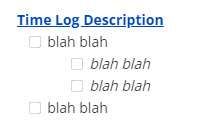
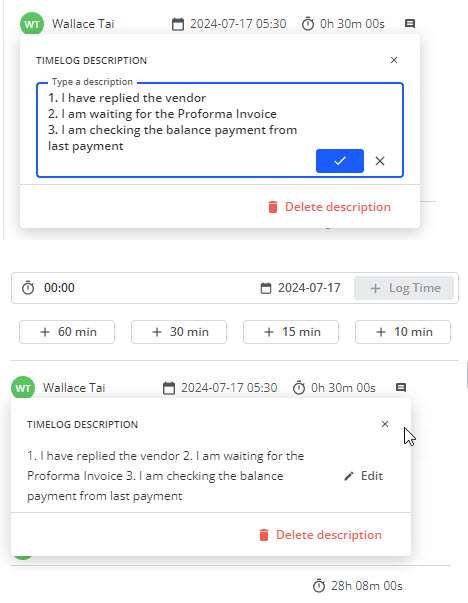
I am using the comment for noting down the time log, because the time log description field is too simple and doesn't even support carriage return and if I want to put down in a list like 1, 2, 3, 4, it will all shown with the return and the extra space. Ideally, if it can be made similar to the description field with extra font / color / bullet points / checkbox support, that will be idea and wonderful. As the timelog description is too basic now, I have to use the comment field for this purpose and I couldn't use the timelog description field effectively.
Log in to comment and vote
Comments2
Vidas
Jul 17, 2024
Introducing richt text editing here is a bit more complicated, but still depends how much attention it will gather from other users. This time log comment is intended for short form messages to capture key aspects of how time was spent. Usefull when analysing tasks which took longer than expected, or telling your customers a fully transparent picture where did each hour of work go.
Wallace Tai
Jul 17, 2024
Vidas What if just implment it as the current comment field, which would at least allow the separate paragraph, not sure how difficult will that be?
If the time logged is short, like 10m for checking email, the current time log description will work, because there isn't much to note down, perhaps just a few words like "emails checked".
However, if the time log is for a longer activity, for example, 8 hours to build and test the set up of SharePoint Server in self-host environment, there will be much more to note down. But of course for such longer activity, the comment field could be used to capture that.
I would suggest if the comment field could support Rich Text, while the Time Log Description could support in similar fashion to the current comment field, that will be a dramatic improvement.
Thanks for considering these feature requests.